Skip to content

Live coding

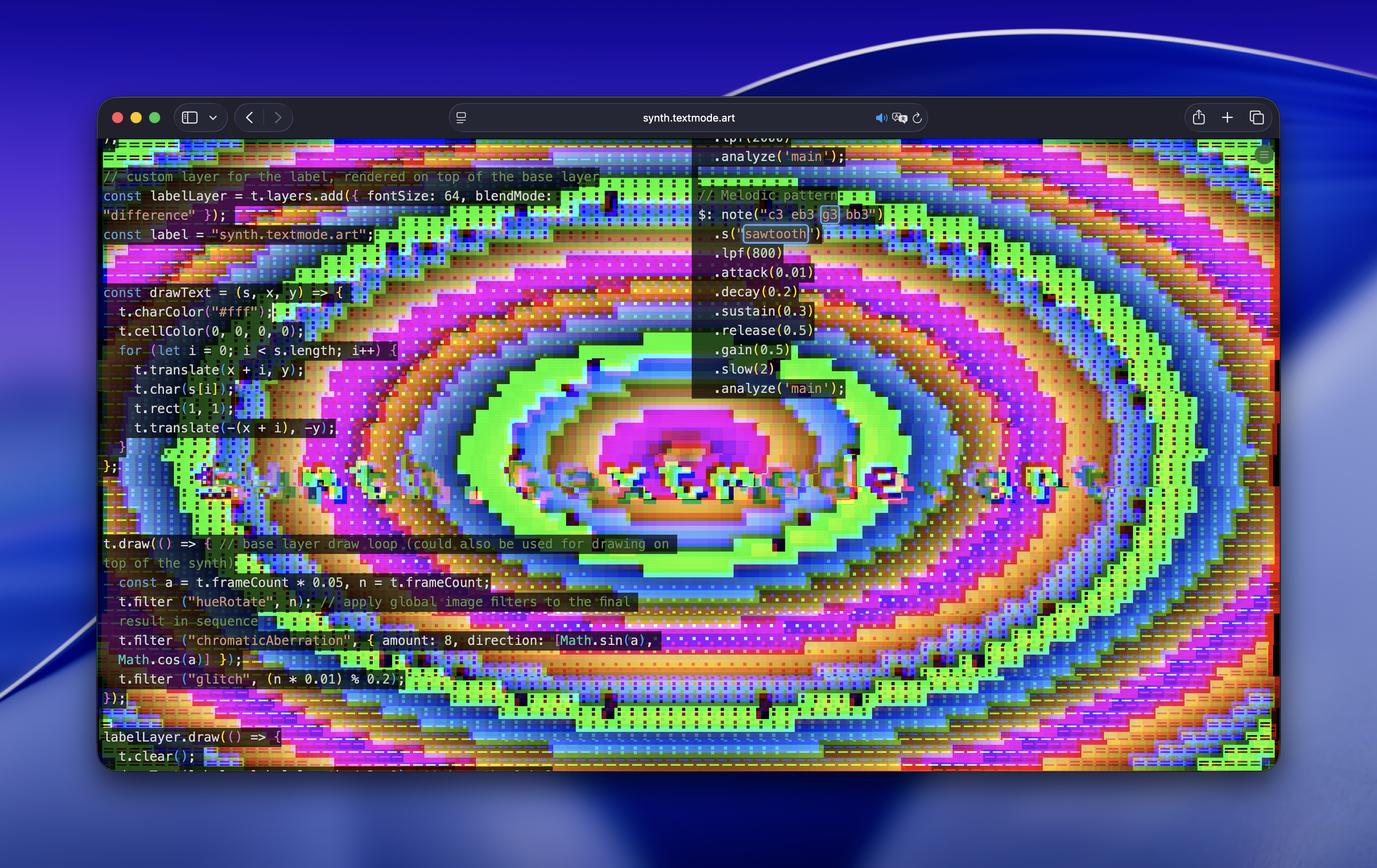
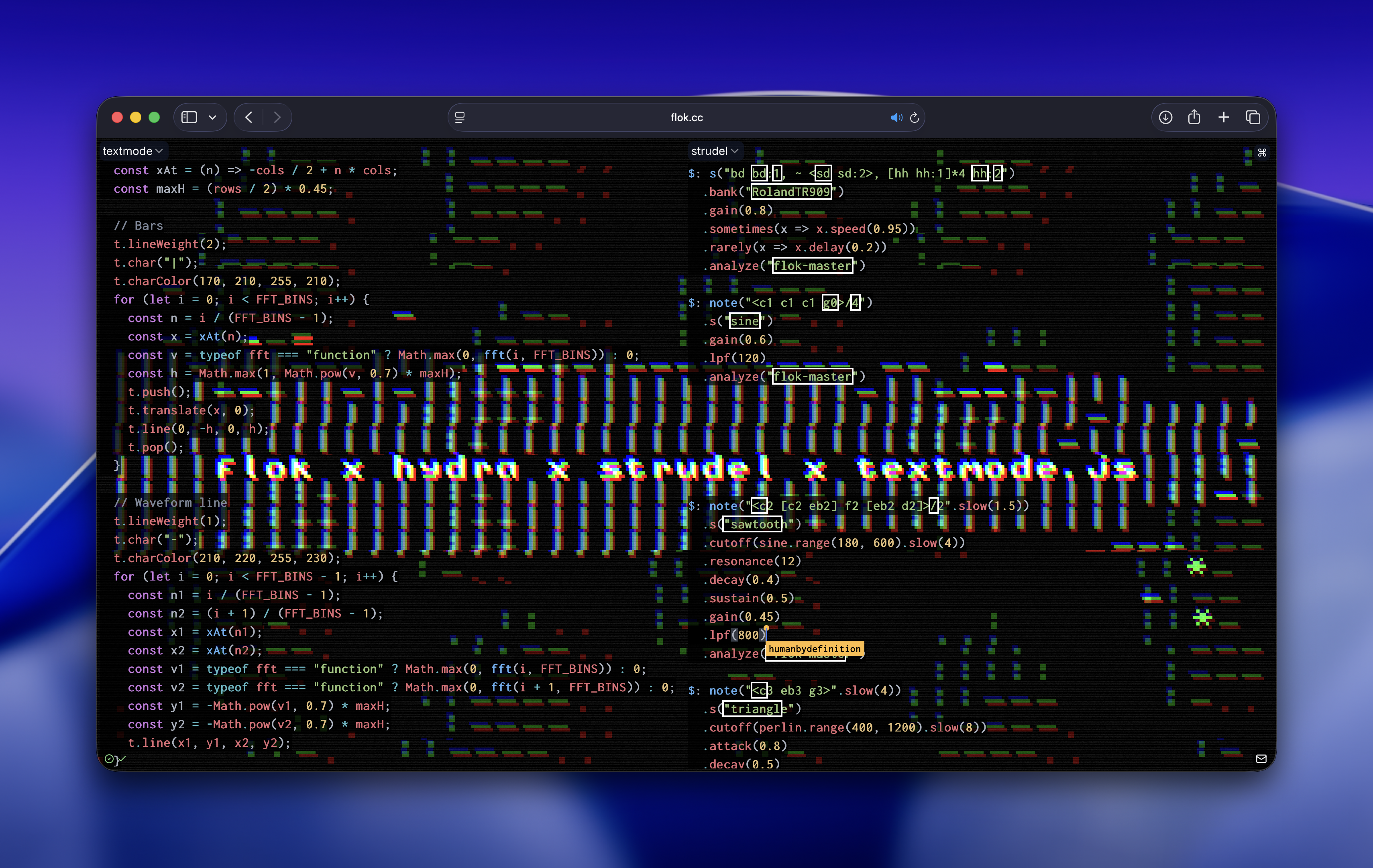
textmode.js is fully integrated into flok.cc, a collaborative live coding environment that runs entirely in your browser. This opens up exciting possibilities for real-time textmode performances, combining ASCII graphics with audio-reactive visuals.

What is flok.cc?

flok.cc is a web-based platform for collaborative live coding. Multiple performers can code together in real-time, each working on different visual or audio layers that combine into a unified performance. Think of it as Google Docs for creative coding performances.

Key features of flok include:

  • Real-time collaboration - Code with others simultaneously from anywhere in the world
  • Multiple language support - Combine textmode.js with Hydra, Strudel, Mercury, and more
  • Browser-based - No installation required, works on any modern browser with WebGL2 support
  • Audio-reactive visuals - Access audio analysis data from Strudel to drive your textmode graphics

Getting started with flok

  1. Visit flok.cc
  2. Create a new session or join an existing one
  3. Add a textmode panel from the target dropdown
  4. Start coding!

When you select textmode as your target, you get access to a global t variable - a Textmodifier instance that provides the full textmode.js API.

Basic example

Here's a simple example to get you started in flok:

js
t.fontSize(24);

t.draw(() => {
  t.background(0);

  const halfCols = t.grid.cols / 2;
  const halfRows = t.grid.rows / 2;

  for (let y = -halfRows; y < halfRows; y++) {
    for (let x = -halfCols; x < halfCols; x++) {
      const dist = Math.sqrt(x * x + y * y);
      const wave = Math.sin(dist * 0.2 - t.frameCount * 0.1);

      t.push();
      t.translate(x, y, 0);
      t.char(wave > 0.5 ? '▓' : wave > 0 ? '▒' : '░');
      t.charColor(0, 150 + wave * 100, 255);
      t.point();
      t.pop();
    }
  }
});

Press Ctrl+Enter (or Cmd+Enter on Mac) to evaluate your code and see the result instantly.

Loading assets

You can load fonts, images, and videos dynamically during your performance:

js
// Load a custom font
await t.loadFont('https://cdn.jsdelivr.net/gh/damianvila/font-bescii/fonts/v2.0/Bescii-Mono.ttf');
t.fontSize(8);

// Load an image
const img = await t.loadImage('https://images.unsplash.com/photo-1506905925346-21bda4d32df4?w=800&q=80');

// Load a video
const vid = await t.loadVideo('https://interactive-examples.mdn.mozilla.net/media/cc0-videos/flower.mp4');
vid.play();
vid.loop();

// Configure conversion settings
img.characters(" .:-=+*#%@");
vid.characters(" .:-=+*#%@");

t.draw(() => {
  t.background(0);

  // Draw the image
  t.push();
  t.translate(-t.grid.cols / 4, 0, 0);
  t.image(img, 64, 64);
  t.pop();

  // Draw the video
  t.push();
  t.translate(t.grid.cols / 4, 0, 0);
  t.image(vid, 64, 64);
  t.pop();
});

Hydra integration

One of the most powerful features of the flok integration is the ability to use Hydra visuals as a source for textmode conversion. The Hydra canvas is automatically available within the textmode frame.

Basic Hydra → textmode

In your textmode panel, create your hydra visuals and convert them to textmode like this:

js
// Hydra code
// licensed with CC BY-NC-SA 4.0 https://creativecommons.org/licenses/by-nc-sa/4.0/
// Flor de Fuego
// https://flordefuego.github.io/
osc(30, 0.01, 1)
  .mult(osc(20, -0.1, 1).modulate(noise(3, 1)).rotate(0.7))
  .posterize([3, 10, 2].fast(0.5).smooth(1))
  .out();

// textmode.js code
t.fontSize(32);

t.draw(() => {
  t.background(0);
  
  // Configure the overlay conversion
  t.overlay.characters(" .:-=+*#%@");
  t.overlay.cellColor(0, 0, 0, 0);
  
  // Draw the converted Hydra canvas
  t.image(t.overlay, t.grid.cols, t.grid.rows);
});

The t.overlay property gives you access to the Hydra canvas as a TextmodeImage, which you can configure and draw just like any other loaded image.

Strudel audio reactivity

Strudel is a live coding environment for music patterns. When running alongside textmode in flok, you can access audio analysis data to create audio-reactive visuals.

Accessing audio data

Strudel exposes an fft() function that provides frequency data. Use .analyze("flok-master") in your Strudel patterns to enable the FFT analysis:

Strudel panel:

js
$: s("bd bd:1, ~ <sd sd:2>, [hh hh:1]*4 hh:2")
  .bank("RolandTR909")
  .gain(0.8)
  .analyze("flok-master")

$: note("<c2 [c2 eb2] f2 [eb2 d2]>/2")
  .s("sawtooth")
  .cutoff(sine.range(180, 600).slow(4))
  .gain(0.45)
  .analyze("flok-master")

textmode panel:

js
const FFT_BINS = 48;

t.draw(() => {
  t.background(0);

  const cols = t.grid.cols;
  const rows = t.grid.rows;
  const maxHeight = rows * 0.4;

  t.char("|");

  for (let i = 0; i < FFT_BINS; i++) {
    // Get FFT value (returns 0 if fft is not available)
    const value = typeof fft === "function" ? Math.max(0, fft(i, FFT_BINS)) : 0;
    const barHeight = Math.max(1, Math.pow(value, 0.7) * maxHeight);

    // Calculate x position across the grid
    const x = -cols / 2 + (i / (FFT_BINS - 1)) * cols;

    // Color based on frequency
    const hue = (i / FFT_BINS) * 255;
    t.charColor(hue, 200, 255 - hue);

    t.push();
    t.translate(x, 0, 0);
    t.line(0, -barHeight, 0, barHeight);
    t.pop();
  }
});

Multi-layer compositions

The flok integration supports the full layering system of textmode.js. Create complex compositions by combining multiple layers with different blend modes:

js
t.fontSize(32);

// Create an audio visualization layer
const audioLayer = t.layers.add({ blendMode: "additive", opacity: 0.8 });

audioLayer.draw(() => {
  t.clear();
  t.cellColor(0, 0, 0, 0);

  const FFT_BINS = 48;
  const maxH = t.grid.rows * 0.4;

  t.lineWeight(2);
  t.char("|");
  t.charColor(170, 210, 255, 210);

  for (let i = 0; i < FFT_BINS; i++) {
    const x = -t.grid.cols / 2 + (i / (FFT_BINS - 1)) * t.grid.cols;
    const v = typeof fft === "function" ? Math.max(0, fft(i, FFT_BINS)) : 0;
    const h = Math.max(1, Math.pow(v, 0.7) * maxH);

    t.push();
    t.translate(x, 0);
    t.line(0, -h, 0, h);
    t.pop();
  }
});

// Create a static label layer
const LABEL = "flok x hydra x strudel x textmode.js";
const labelLayer = t.layers.add({ blendMode: "normal", opacity: 1.0 });

labelLayer.draw(() => {
  t.clear();
  t.charColor(255, 255, 255, 255);
  t.cellColor(0, 0, 0, 255);

  const startX = -Math.floor(LABEL.length / 2);
  t.push();
  t.translate(startX, 0);
  [...LABEL].forEach((char, i) => {
    t.push();
    t.char(char);
    t.translate(i, 0);
    t.rect(1, 1);
    t.pop();
  });
  t.pop();
});

// Base layer with Hydra conversion
t.draw(() => {
  t.background(0);
  t.overlay.characters(" .:-=+*#%@");
  t.overlay.cellColor(0, 0, 0, 0);
  t.image(t.overlay, t.grid.cols, t.grid.rows);
});

Filter effects

The flok integration includes textmode.filters.js, an add-on library that provides additional GPU-accelerated effects. Apply effects like chromatic aberration and glitch to individual layers or the final composition:

js
// Hydra code
// licensed with CC BY-NC-SA 4.0 https://creativecommons.org/licenses/by-nc-sa/4.0/
// Flor de Fuego
// https://flordefuego.github.io/
osc(30, 0.01, 1)
  .mult(osc(20, -0.1, 1).modulate(noise(3, 1)).rotate(0.7))
  .posterize([3, 10, 2].fast(0.5).smooth(1))
  .out();

t.draw(() => {
  t.background(0);
  t.overlay.characters(" .:-=+*#%@");
  t.overlay.cellColor(0, 0, 0, 0);
  t.image(t.overlay, t.grid.cols, t.grid.rows);

  // Animated chromatic aberration
  const angle = -t.frameCount * 0.05;
  const dirX = Math.cos(angle);
  const dirY = Math.sin(angle);
  const amount = 4.0 + 1.5 * (0.5 + 0.5 * Math.sin(t.frameCount * 0.1));

  t.filter("chromaticAberration", {
    amount,
    direction: [dirX, dirY],
  });

  // Periodic glitch effect
  t.filter("glitch", (Math.sin(t.frameCount * 0.005)) % 0.5);
});

More about the flok integration

Error resilience

The flok integration is designed to be resilient during performances. If you introduce a syntax error while editing, the canvas will continue showing your last working code. This means you can experiment freely without worrying about breaking your visuals mid-performance.

Frame count behavior

When you re-evaluate your code, t.frameCount continues from where it was rather than resetting to zero.

Full example: Audio-reactive Hydra conversion

Here's a complete example combining all the concepts - Hydra visuals converted to textmode with an audio-reactive layer and filter effects:

Strudel panel:

js
$: s("bd bd:1, ~ <sd sd:2>, [hh hh:1]*4 hh:2")
  .bank("RolandTR909")
  .gain(0.8)
  .analyze("flok-master")

$: note("<c2 [c2 eb2] f2 [eb2 d2]>/2".slow(1.5))
  .s("sawtooth")
  .cutoff(sine.range(180, 600).slow(4))
  .gain(0.45)
  .analyze("flok-master")

textmode panel:

js
// Hydra code
// licensed with CC BY-NC-SA 4.0 https://creativecommons.org/licenses/by-nc-sa/4.0/
// Flor de Fuego
// https://flordefuego.github.io/
osc(30, 0.01, 1)
  .mult(osc(20, -0.1, 1).modulate(noise(3, 1)).rotate(0.7))
  .posterize([3, 10, 2].fast(0.5).smooth(1))
  .out();

// textmode.js code
t.fontSize(32);

// Audio visualization layer
const FFT_BINS = 48;
const audioLayer = t.layers.add({ blendMode: "additive", opacity: 0.8 });

audioLayer.draw(() => {
  t.clear();
  t.cellColor(0, 0, 0, 0);

  const maxH = (t.grid.rows / 2) * 0.45;
  const xAt = (n) => -t.grid.cols / 2 + n * t.grid.cols;

  t.lineWeight(2);
  t.char("|");
  t.charColor(170, 210, 255, 210);

  for (let i = 0; i < FFT_BINS; i++) {
    const n = i / (FFT_BINS - 1);
    const x = xAt(n);
    const v = typeof fft === "function" ? Math.max(0, fft(i, FFT_BINS)) : 0;
    const h = Math.max(1, Math.pow(v, 0.7) * maxH);

    t.push();
    t.translate(x, 0);
    t.line(0, -h, 0, h);
    t.pop();
  }
});

// Label layer
const LABEL_TEXT = "flok x hydra x strudel x textmode.js";
const labelLayer = t.layers.add({ blendMode: "normal", opacity: 1.0 });

labelLayer.draw(() => {
  t.clear();
  t.charColor(255, 255, 255, 255);
  t.cellColor(0, 0, 0, 255);

  const startX = -Math.floor(LABEL_TEXT.length / 2);
  t.push();
  t.translate(startX, 0);
  [...LABEL_TEXT].forEach((char, i) => {
    t.push();
    t.char(char);
    t.translate(i, 0);
    t.rect(1, 1);
    t.pop();
  });
  t.pop();
});

// Base layer with Hydra conversion and effects
t.draw(() => {
  t.background(0);
  t.overlay.characters(" .:-=+*#%@");
  t.overlay.cellColor(0, 0, 0, 0);
  t.image(t.overlay, t.grid.cols, t.grid.rows);

  // Animated chromatic aberration
  const angle = -t.frameCount * 0.05;
  t.filter("chromaticAberration", {
    amount: 4.0 + 1.5 * (0.5 + 0.5 * Math.sin(t.frameCount * 0.1)),
    direction: [Math.cos(angle), Math.sin(angle)],
  });

  // Subtle glitch
  t.filter("glitch", (Math.sin(t.frameCount * 0.005)) % 0.5);
});

Resources

Community

Join the textmode.js Discord to connect with other live coders, share your performances, and get help with your textmode creations.